

Quick Answer
Often, yes. Smart controls can work with some older pool equipment, but compatibility depends on the exact pump, heater, lights, wiring, and controller. A technician should verify the models and connections before recommending an upgrade.
Start With the Control System Already on the Equipment Pad
Pools don’t have to be new to get smart controls. The right upgrade depends on your current equipment, its connections, and the functions you want. Some pools can add a control unit, while others may require panel or equipment upgrades for remote access. Learn more about pool equipment upgrades.
First, identify the model numbers on your pump, heater, lights, sanitizer, and controllers. A pool professional can then determine which devices can be controlled together and what an upgrade would include.
Compatibility Is About More Than the Pool’s Age
Age helps, but compatibility depends on electrical connections and supported product families. Some controllers only handle some basic functions, while others require the right connections for smart features like pump speeds or pool heater settings.
What an automation system may be able to control
- Pool pump schedules and variable speeds when the pump and control system support that connection
- Heater on/off operation or temperature settings, depending on the heater model and wiring
- Pool lights and selected accessories through compatible relays or control interfaces
- Some valves, water features, or spa functions when the system has the needed circuits and components
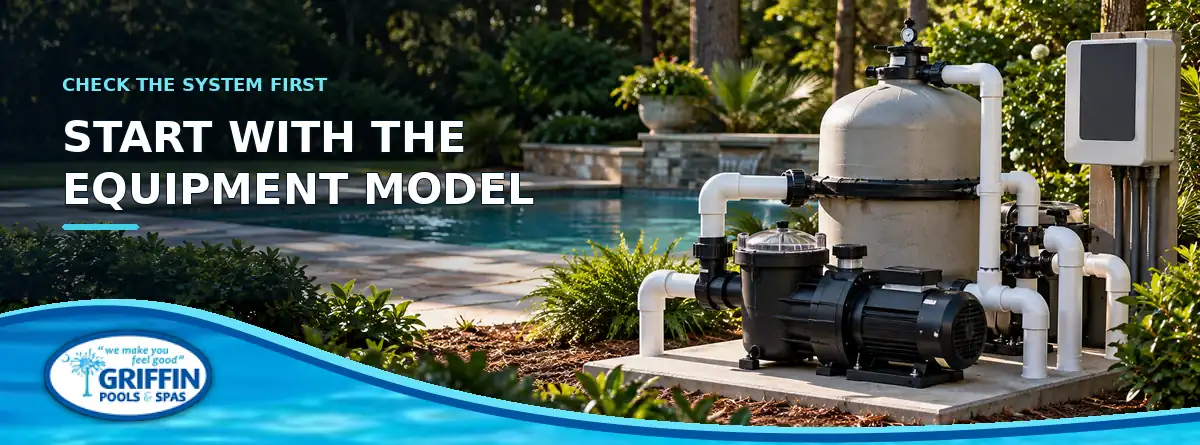
Manufacturers list which equipment works with each controller. For example, not every pump or heater is compatible with every new smart controller—the specific model and connections must be checked.
Three Things to Gather Before Requesting an Upgrade
- Photograph the equipment labels. Capture the model and serial labels on the pump, heater, sanitizer, and existing control panel. Take a wider photo of the whole equipment pad too.
- List the tasks you want to do. Maybe you only want to start the pump from your phone. You may also want schedules, heater adjustment, lighting scenes, or pool-to-spa switching. Each added function can change the equipment and installation requirements.
- Check the electrical and Wi-Fi conditions. The installer needs to review the panel, available circuits, wiring condition, and wireless signal where the controller will be located. A phone app cannot make an unsupported device compatible, and weak Wi-Fi can affect remote access.
This information helps a technician recommend an appropriately sized solution instead of assuming that a single app or controller will manage every device.
When a Small Add-On Is Enough—and When It Is Not
If your equipment pad is simple and your needs match a supported product, a compact control unit may work. More complex setups or older panels may need a full upgrade. Sometimes, automating only selected functions is best.
Ask the installer what will be controlled, what stays manual, if equipment needs replacing, and how the system works without internet. Remote access is useful, but local controls must be safe and clear.
Electrical work needs a qualified professional
Never open panels or change wiring to test compatibility. Always have a qualified technician or electrician inspect the setup and follow installation instructions and electrical codes.
Get the Equipment Checked Before Choosing a System
Smart controls can be a practical upgrade for some older pools, but compatibility is specific to the equipment and the functions you expect. Griffin Pools & Spas provides pool and spa repair service and pool equipment upgrade support in the Lexington and Columbia area. Bring the model numbers and a few clear photos of your equipment pad to start a more useful conversation about your options. Contact Griffin Pools & Spas to discuss your equipment.
Frequently Asked Questions
Will smart pool controls work if my backyard Wi-Fi is weak?
Remote app access depends on a reliable connection. Some functions may continue locally, depending on the controller; ask the installer how the system works without internet.
Sources and References
- Griffin Pools & Spas — Pool & Spa Equipment Upgrades: https://griffinpoolsandspas.com/pool-spa-equipment-upgrades.php
- Griffin Pools & Spas — Pool & Spa Repairs: https://griffinpoolsandspas.com/pool-spa-repairs.php